

Account & Encoder Token
Your account at the Oxrion Console holds your Encoder Token, your plan or credits, and your usage. You only need it for protecting code: the Licenser, Recovery and the Vault work without an account.
Your Encoder Token
Section titled “Your Encoder Token”The Encoder Token identifies your account when Oxrion Desktop or the Web Encoder protects code. It starts with oxe_. It is only an access credential: it doesn’t encrypt anything, and changing it never affects files you have already protected. It stays valid until you generate a new one.
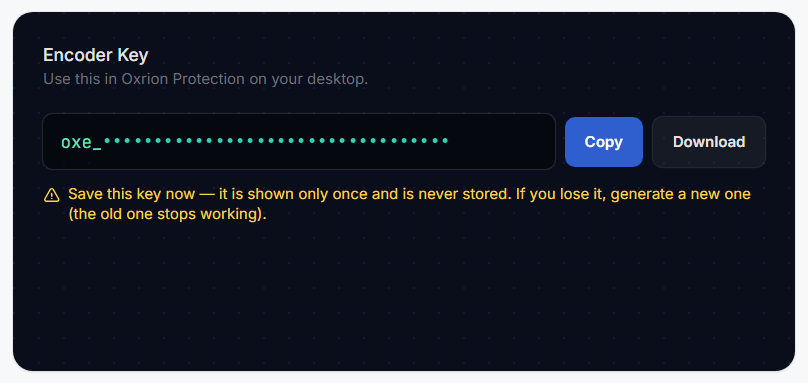
- Sign in to the Oxrion Console.
- Under Encoder Token, press Generate token.
- Copy the token or Download it right away. For security it is shown only once and is not stored.
- Paste it into Oxrion Desktop’s Encoder — or better, save it in your Vault and set it as the default. Or paste it into the Web Encoder.
Your account has one active token. Generating a new one turns the old one off immediately — do it if you lose the token or think someone else has it, then update it in Oxrion Desktop, and in the Web Encoder if it remembers your token. You can generate a new token at most once every 5 minutes.
Sharing the token with your team
Section titled “Sharing the token with your team”Everyone who protects code for your account uses the same Encoder Token — for example all the developers of an agency. They share the account’s monthly quota and credits.
- Pass the token on privately, for example through a shared password manager — never in a repository, a ticket or a chat.
- Each person can save it in their own Vault and set it as the default.
- Generating a new token turns the old one off for everyone at once. Send the new token to your team before they protect again.
The Console dashboard shows:
- Subscription — how many files you’ve protected this month out of your monthly quota, and when it renews.
- Credit — your extra file credits, and the Use extra credits switch.
- Encryption usage — the files you protected over time, by day, month or year.
See Plans, quota & credits for how quota and credits work.
Your code
Section titled “Your code”When you protect, only the .php files you select are sent to Oxrion’s Encoder. They are protected and returned to your computer; your source is not stored. Everything else in your project stays on your computer.